
You can change the password for your email address in the control panel of your hosting account or your Hosted Exchange product. You can find the login data on your access data sheet.
Alternatively, you can also use the auto-login feature in the myhosttech Customer Center. Go to Server Center > Server Center, click the “Settings ” button for the relevant product, and then click “Login to Control Panel.”
Plesk
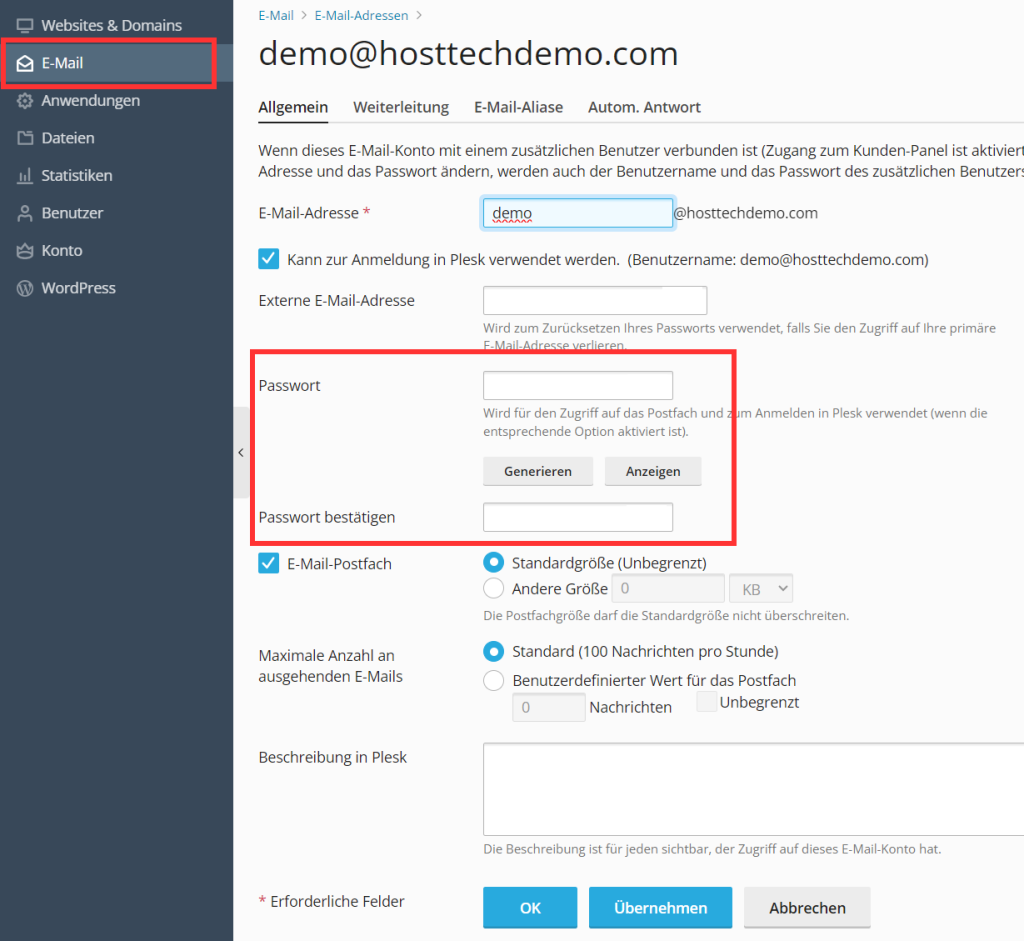
In the Plesk control panel, you can click Mail on the left. Click on the email address for which you want to change the password. Enter the new password twice (the old one is not needed). The change should be active here immediately.
Hosted Exchange
From the hosted exchange control panel , you can click “Email Addresses” under Email on the left. To the right of the email address, you can edit the address using the three dots. Enter the new password twice (the old one is not needed). The change should be active here immediately.