
The automatic response is set up in the Control Panel. However, this function is not available for Hosted Exchange. If you are using Hosted Exchange, you can configure the automatic reply via webmail or directly in Outlook instead.
There are two ways to record the automatic response:
Plesk als Hauptbenutzer
- Log in to your Plesk control panel.
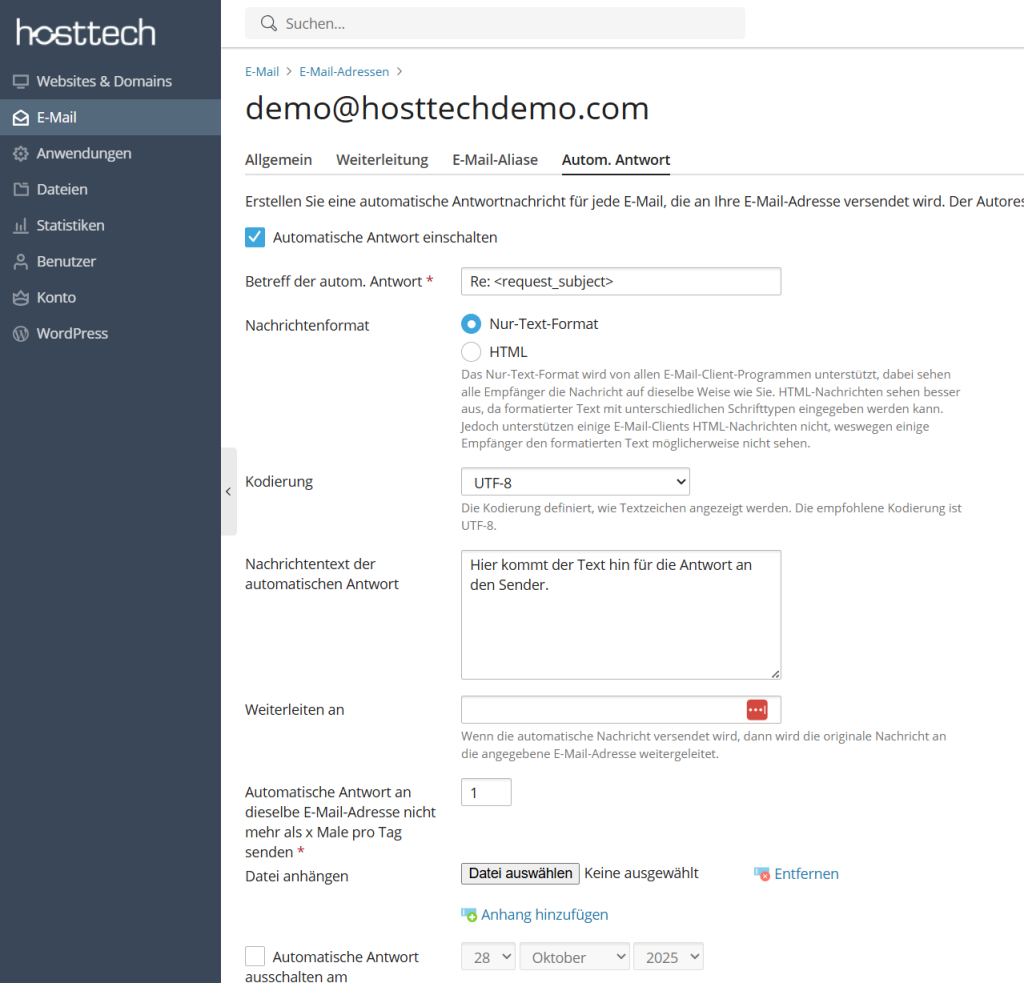
- Select “E-mail” on the left and click on the relevant e-mail address.
- Switch to “Auto reply”.
- Activate “Switch on automatic reply” and write the text.
You can optionally add a date to the reply to switch it off automatically. - Select OK to save.
Plesk als Benutzer
- Log in to your Contol Panel Plesk with your e-mail address and the corresponding password.
- Select “Change email account settings.
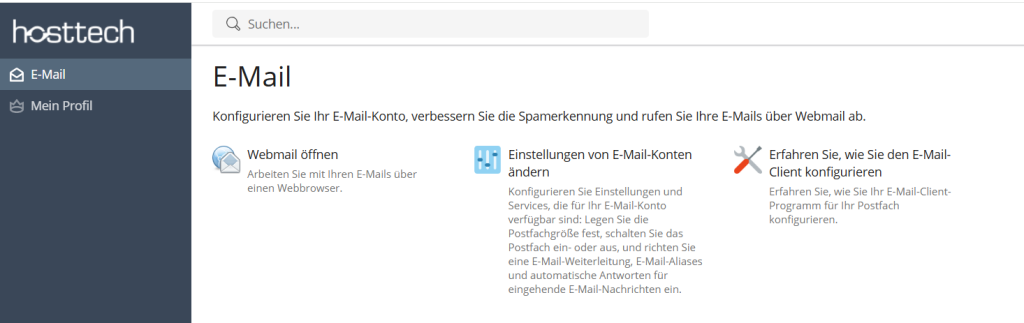
- Switch to “Auto reply”
- Activate “Switch on automatic reply” and write the text.
You can optionally add a date to the reply to switch it off automatically. - Select OK to save.